Inside Our AI-Enhanced Editing Workflow
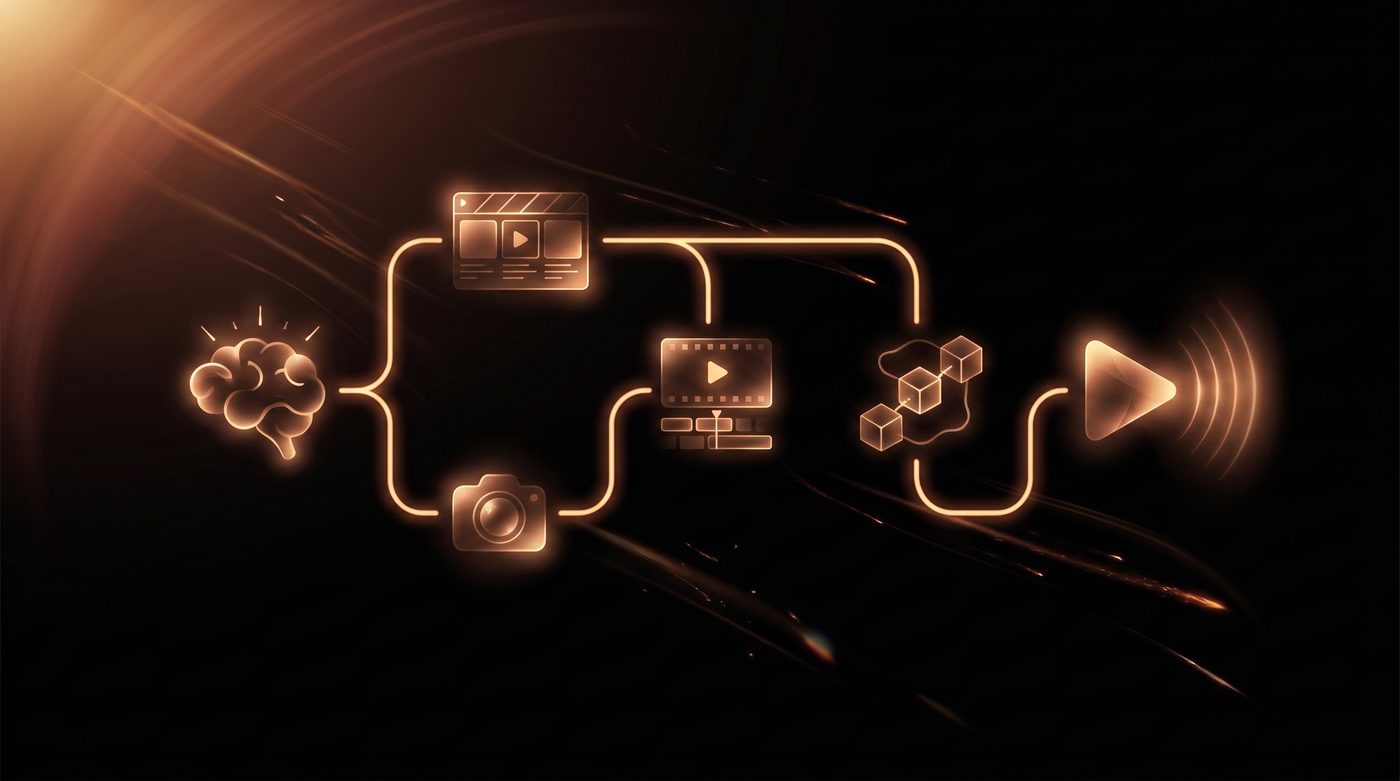
Every project we take on follows the same shape, even though no two projects look the same by the end. Scope changes the details. A 30-second UGC ad and a 10-minute faceless-channel video don't move through the same steps in the same order, but the core process stays consistent from the first message a client sends us to the final file we deliver. Here's what that actually looks like, tools included.
How a project starts
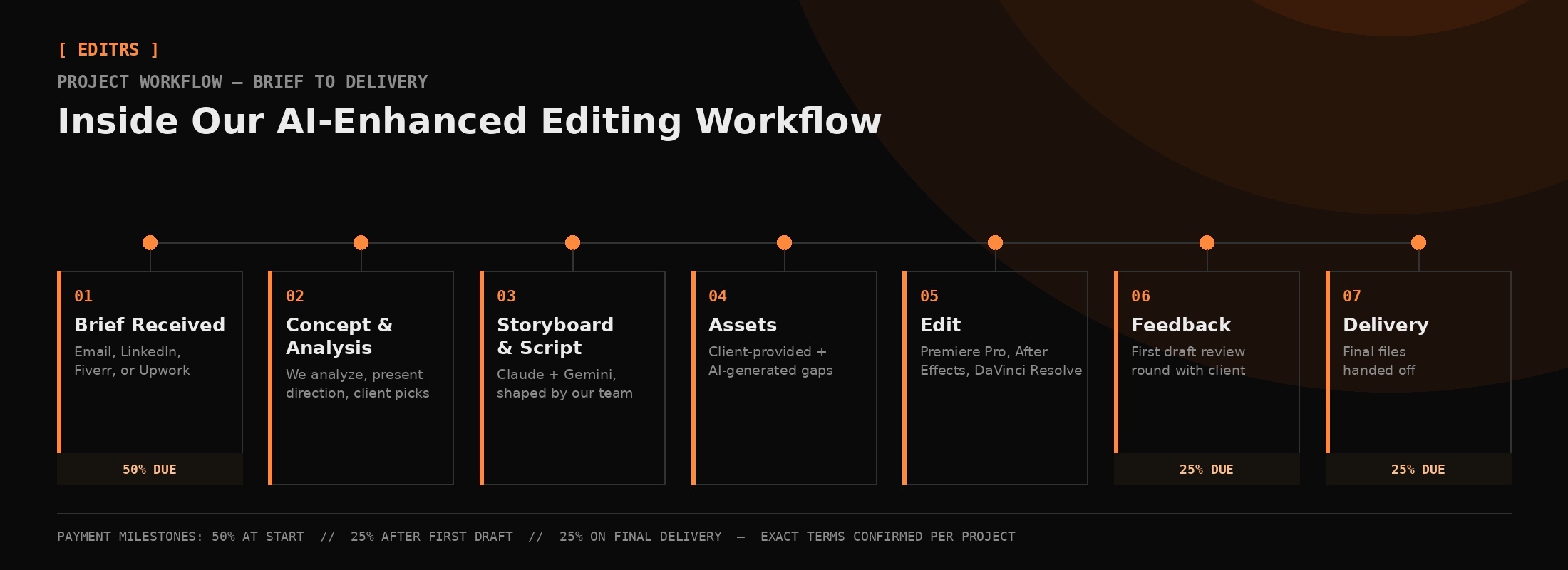
Clients reach us through email, LinkedIn, Fiverr, or Upwork, and it starts with a written brief, whatever they already have, even if it's rough. We don't start generating anything from that brief directly. We analyze it first: what the project actually needs, what's ambiguous, what a strong version of this looks like given their goals.
From there we set up a call, walk through our analysis, and present a rough creative direction, a concept that fits what they've described, not a generic template. If a project genuinely calls for more than one direction, we'll present options. The client picks the concept that fits, and that's what we build from.
Pre-production: storyboard and script
Once a concept is locked, we move into storyboard and script. Not every project needs both, but most benefit from at least one. Scripts and written storyboards go through Claude and Gemini first, which gives us a fast, structured starting point we then shape into something specific to the brand and project rather than something generic an LLM would hand anyone.
The client reviews this stage before we touch a single frame of actual production. Getting the script and storyboard right here is cheaper for everyone than discovering a direction problem in a finished edit.
Assets: collected and AI-generated
If a project needs brand assets (logos, guidelines, existing footage), the client sends those over. Where a project needs visuals that don't exist yet, that's where AI generation comes in, and this is the part most agencies aren't transparent about, so we are:
- Storyboard and concept images: Google Flow, Nano Banana, Higgsfield, and GPT Image, depending on what the shot calls for.
- Character creation, image generation, and video generation: Google Flow, Veo 3, Gemini Omni, Runway ML, Higgsfield Creative Studio, and Magnific AI. Again, tool selection depends on the specific shot, not a single default.
None of this replaces footage a client provides. It fills the gaps: a shot that would otherwise require a production day, a visual that doesn't exist yet, a character reference that needs to stay consistent across a sequence.
The actual edit
This is where the project becomes a finished piece. Premiere Pro is our main editing timeline. After Effects handles motion graphics and VFX work that Premiere isn't built for. Color grading happens in DaVinci Resolve, separate from the cut itself, because grading is its own discipline and deserves its own pass rather than being squeezed into the same timeline as the edit.
AI tools speed up the parts of this stage that have a clearly correct answer: generating a missing shot, cleaning up an asset, producing a variation fast. The pacing, the cut points, what stays and what gets trimmed, that's still a person making the call, every time.
Feedback and delivery
The first full cut goes to the client as a draft, not a final. We build in a feedback round here on purpose. Most projects need at least one round of revision to get from "correct" to "right," and treating the first draft as the end of the conversation instead of the start of one is how projects end up technically finished but not actually good.
Once feedback is incorporated, we deliver the final files.
How payment works
We're upfront about this because clients shouldn't have to guess: half the project fee upfront before work begins, a portion after the first draft is delivered, and the remainder on final delivery. It protects both sides. We're not doing full unpaid production speculatively, and clients aren't paying in full before they've seen anything. Exact terms are confirmed during the concept call, since scope and project size can shift what makes sense.
FAQ
Does EDITRS use AI to generate entire videos automatically? No. AI tools are used for specific gaps, like generating a missing shot, a storyboard image, or a character reference, inside a process a person still directs from brief to final cut. The pacing and editing decisions are made by our team, not automated.
What tools does EDITRS actually use for editing? Premiere Pro for the core edit, After Effects for motion graphics and VFX, and DaVinci Resolve for color grading. Scripts and storyboards start with Claude and Gemini before being shaped into something project-specific.
How many revisions are included in a project? Every project includes a feedback round after the first draft before final delivery. Scope and revision structure beyond that depend on the project. We set expectations during the concept call.
How does payment work for a project with EDITRS? Half the project fee is due upfront, a portion after the first draft is delivered, and the remainder on final delivery. Exact terms are confirmed during the concept call based on project scope.
The tools change project to project. What doesn't change is that a person is making the creative calls at every stage: the concept, the cut, what makes the final version worth watching. That's the actual job. If you want to see how this looks applied to your project specifically, that's what the first call is for.
Want Your Content Edited Like This?
Hand off the editing and keep the creative direction. EDITRS handles the rest.